
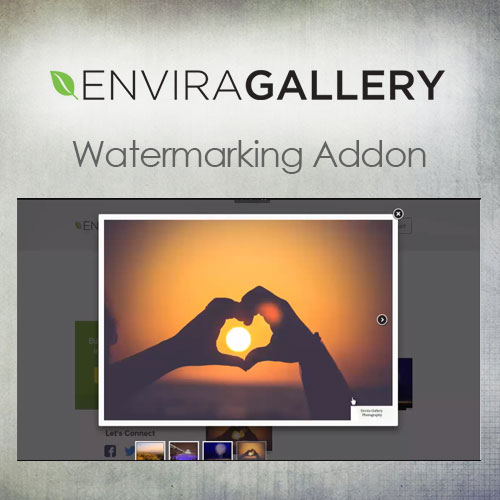


What is Envira Gallery – Watermarking Addon?
Envira Gallery Watermarking Addon is a premium WordPress plugin that automatically applies text or image watermarks to photos in your Envira Gallery, providing a layer of protection for your visual content. This addon is essential for photographers, artists, and businesses looking to safeguard their images from unauthorized use. Key features include configurable watermark positioning, adjustable opacity settings, and batch processing capabilities that allow for efficient application across multiple images. The plugin is designed to work seamlessly with the Envira Gallery, ensuring that all uploaded photos are protected without requiring manual editing. It is compatible with the latest versions of WordPress and Envira Gallery. Available at MyCodeLive with GPL license, instant download, and lifetime updates.
Key Features
Text Watermarks
Custom text overlays with configurable font family, size, color, rotation angle, and opacity for branding or copyright notice display on images.
Image Watermarks
PNG-based image overlays supporting transparency, allowing you to use logos, signatures, or custom graphics as watermark elements.
Position Controls
Precise placement options including center, four corners, and tiled patterns with margin and padding settings for exact watermark positioning.
Batch Processing
Apply watermarks to existing galleries retroactively, processing entire image libraries without requiring re-upload of individual files.
Who is this for?
Pros
- Automated protection: Watermarks applied automatically during upload without manual editing
- Flexible watermarks: Support for both text and image-based watermarks with full customization
- Batch processing: Apply watermarks retroactively to existing gallery images in bulk
- Original preservation: Optionally keep unwatermarked originals for authorized distribution
Cons
- •Requires Envira Gallery as the base gallery plugin
- •Watermark processing adds time to image uploads, especially for large batches
- •Text watermarks with small font sizes may not provide sufficient protection at lower resolutions
Product Description
Envira Gallery Watermarking Addon adds automated watermark protection to images uploaded through Envira Gallery. The add-on applies text or image-based watermarks during the upload process, protecting visual content from unauthorized use while maintaining display quality.
Watermark Configuration
- Text watermarks with custom font, size, color, and rotation settings
- Image watermarks using uploaded PNG files with transparency support
- Configurable position placement (center, corners, tiled patterns)
- Opacity controls for balancing protection with visual appearance
- Margin and padding settings for precise watermark placement
Automated Processing
Watermarks are applied automatically during image upload, so every image added to Envira galleries is protected without manual intervention. The original unwatermarked file can optionally be preserved for authorized downloads while the public-facing gallery shows watermarked versions.
Batch Application
Existing galleries can be batch-processed to apply watermarks retroactively. This allows photographers and artists who previously uploaded unprotected images to add watermark protection to their entire image library without re-uploading individual files.




Reviews
There are no reviews yet.