

What is Cost & Reports for WooCommerce?
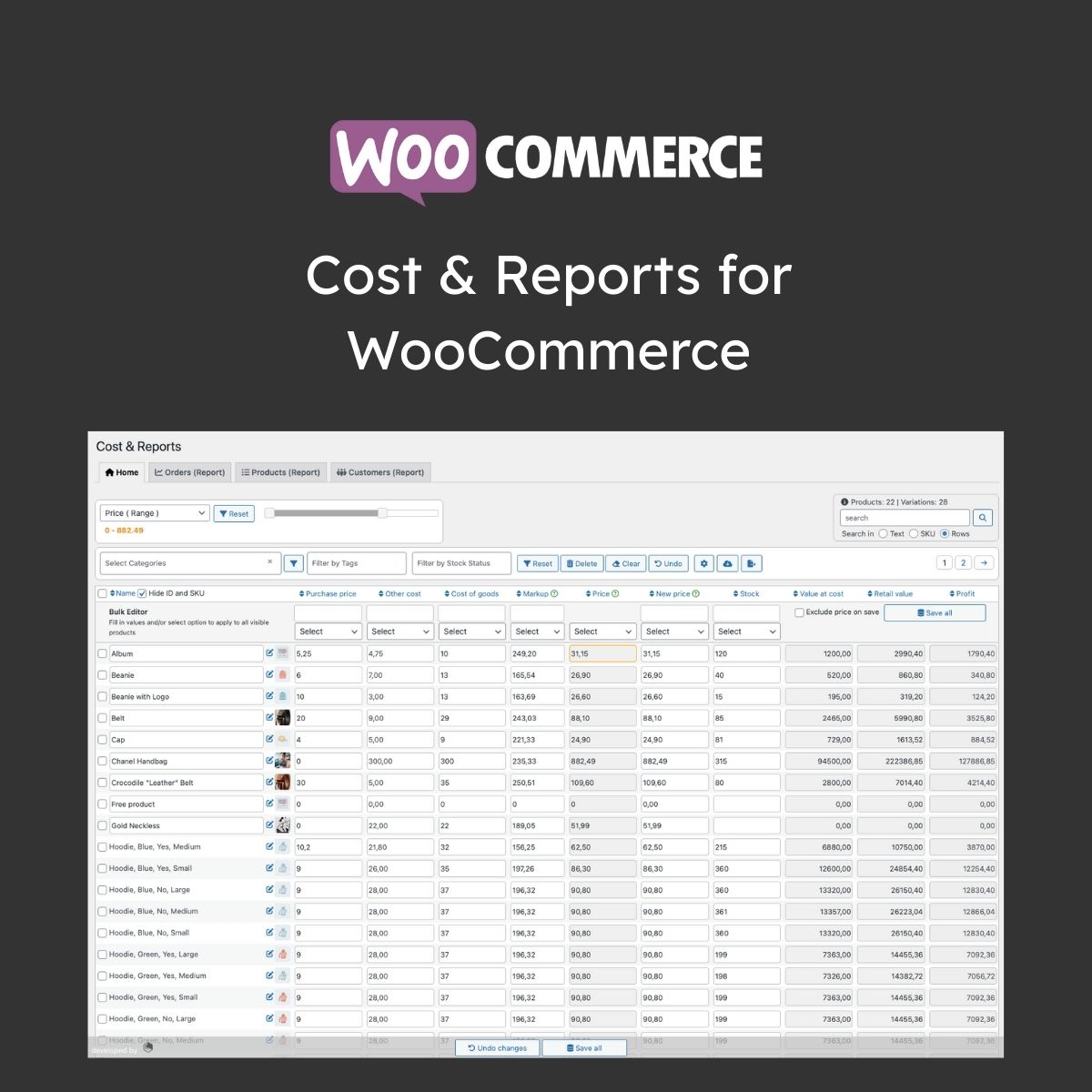
Cost & Reports for WooCommerce is a premium WordPress plugin that adds cost-of-goods tracking and profit reporting functionality to WooCommerce. This plugin allows store owners to enter product costs and generates detailed financial reports, including profit margins by product, category, and date range. It is particularly useful for eCommerce businesses that need to monitor profitability and make informed financial decisions. Key features include a simple cost-of-goods field, a dashboard widget for quick profit overviews, and CSV export capabilities for accounting integration. The plugin is compatible with the latest WooCommerce versions, ensuring seamless operation. Available at MyCodeLive with GPL license, instant download, and lifetime updates.
Key Features
Cost Tracking
Add cost-of-goods field to each WooCommerce product and variation
Profit Reports
Generate profit margin reports by product, category, and date range
Dashboard Widget
View profit summary directly in WordPress admin dashboard
CSV Export
Export cost and profit data for accounting and analysis
Variable Product Support
Track individual costs per product variation
Who is this for?
Pros
- Simple cost-of-goods field for each product
- Profit margin reports by product, category, and date
- Dashboard widget for quick profit overview
- CSV export for accounting integration
- Supports variable product cost tracking
Cons
- •Requires manual cost entry for each product
- •Does not account for shipping and overhead costs
- •Requires WooCommerce as a dependency
Product Videos
How to install woocommerce reports plugin
Product Description
Cost & Reports for WooCommerce adds cost tracking and profit analysis capabilities to your WooCommerce store. Enter product costs and the plugin calculates profit margins, generates financial reports, and provides insights into your store’s profitability.
Key Capabilities
- Cost Tracking – Add cost-of-goods field to each WooCommerce product
- Profit Reports – Generate profit margin reports by product, category, and date range
- Dashboard Widget – View profit summary directly in WordPress dashboard
- Export Support – Export cost and profit data to CSV for accounting
- Variable Products – Track costs per product variation
Understanding true profitability per product helps store owners make informed decisions about pricing, marketing spend, and inventory management.




Reviews
There are no reviews yet.