
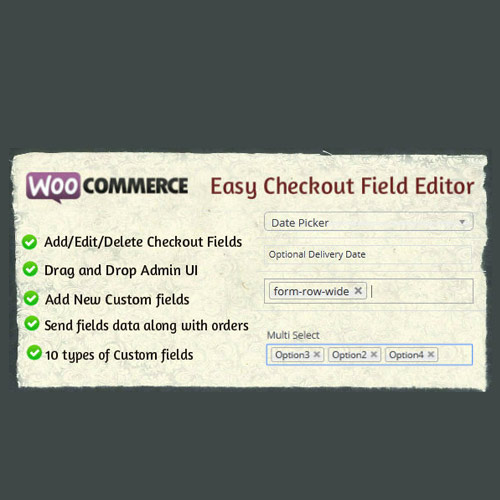


What is WooCommerce Easy Checkout Field Editor?
WooCommerce Easy Checkout Field Editor is a premium WordPress plugin for customizing checkout form fields with drag-and-drop reordering, custom field types, conditional logic, and validation. This plugin simplifies the management of checkout forms, allowing store owners to tailor the checkout experience to their needs. Key features include a visual drag-and-drop interface for easy field management, custom field types that extend beyond default WooCommerce options, and conditional logic that enables dynamic checkout forms based on user input. This plugin is ideal for WooCommerce store owners looking to enhance their checkout process and improve conversion rates. It is fully compatible with the latest versions of WooCommerce, ensuring seamless integration. Available at MyCodeLive with GPL license, instant download, and lifetime updates.
Key Features
Drag-and-Drop Editor
Visual field management with reordering across billing, shipping, and additional information sections
Custom Field Types
Add text, select, checkbox, radio, date picker, and file upload fields to checkout
Conditional Logic
Show or hide fields based on customer selections for dynamic, relevant checkout forms
Order Data Integration
Custom field values saved with orders and accessible in admin, emails, and exports
Who is this for?
Pros
- Visual drag-and-drop field management
- Custom field types beyond default WooCommerce options
- Conditional logic for dynamic checkout forms
- Field data saved with orders and emails
- Remove unnecessary default fields to simplify checkout
Cons
- •Complex conditional logic setups need testing
- •Custom fields need to be included in email templates manually
- •Too many additional fields can increase checkout abandonment
Product Description
WooCommerce Easy Checkout Field Editor provides a visual interface for customizing the WooCommerce checkout form without coding. You can add new fields, remove unnecessary ones, change field types, reorder sections, and apply conditional logic that shows or hides fields based on customer selections.
Field Editor Features
- Drag-and-drop field ordering for billing, shipping, and additional sections
- Add custom fields: text, select, checkbox, radio, date picker, file upload
- Remove or disable default WooCommerce checkout fields
- Conditional display logic based on other field values
- Custom field validation rules
Data Management
Custom field data is saved with orders and visible in order details, email notifications, and order exports. Fields can be marked as required or optional and include placeholder text and help descriptions to guide customers through the checkout process.



Reviews
There are no reviews yet.