
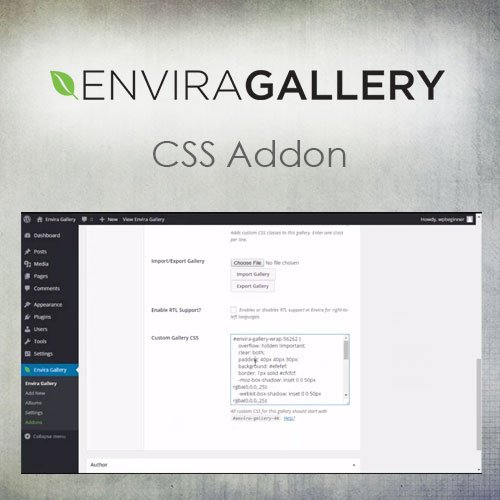


What is Envira Gallery – CSS Addon?
Envira Gallery CSS Addon is a premium WordPress plugin that allows users to apply custom CSS styling to individual Envira Gallery instances. This plugin is particularly useful for web designers and developers who want to achieve unique styles for different galleries without affecting the overall site design. Key features include a dedicated CSS editor for each gallery, a live preview feature that shows CSS changes in real-time, and automatic style scoping to prevent conflicts with other galleries or elements. It is fully compatible with the Envira Gallery plugin and the latest versions of WordPress. Available at MyCodeLive with GPL license, instant download, and lifetime updates.
Key Features
Per-Gallery CSS Editor
Each gallery has its own dedicated CSS code editor
Live Preview
See CSS changes reflected in real time as you write them
Automatic Scoping
Styles apply only to the targeted gallery, no conflicts
No Theme Editing
Apply customizations without modifying theme files
Who is this for?
Pros
- Per-gallery CSS provides independent styling for each gallery instance
- Live preview shows CSS changes in real time during editing
- Automatic scoping prevents style conflicts with other galleries or elements
- No theme file editing needed for gallery visual customizations
- Supports any CSS property for complete styling flexibility
Cons
- •Requires Envira Gallery as the base plugin — not standalone
- •CSS knowledge is needed to write effective custom styles
- •Complex animations may impact gallery loading performance on older devices
Product Description
Envira Gallery CSS Addon provides a dedicated CSS editor for each gallery you create. Instead of adding global CSS that affects all galleries or editing theme files, you can write gallery-specific styles that only apply to the targeted gallery instance.
Styling Features
- Per-Gallery CSS – Each gallery has its own CSS editor, so styles apply only to that specific gallery
- Live Preview – See CSS changes reflected in real time as you write them in the gallery editor
- Scoped Styles – CSS is automatically scoped to prevent conflicts with other galleries or site elements
- No Theme Editing – Apply visual customizations without touching theme files or adding global CSS rules
Customization Examples
Create unique hover animations for a portfolio gallery, adjust image border radius for a product showcase, change thumbnail spacing for a specific collection, or override default gallery padding for a full-width display. Each gallery maintains its own independent styles, making it straightforward to create visually distinct galleries across your site.
Available at MyCodeLive with instant download and GPL licensing.




Reviews
There are no reviews yet.