


What is Social Chat by Quadlayers?
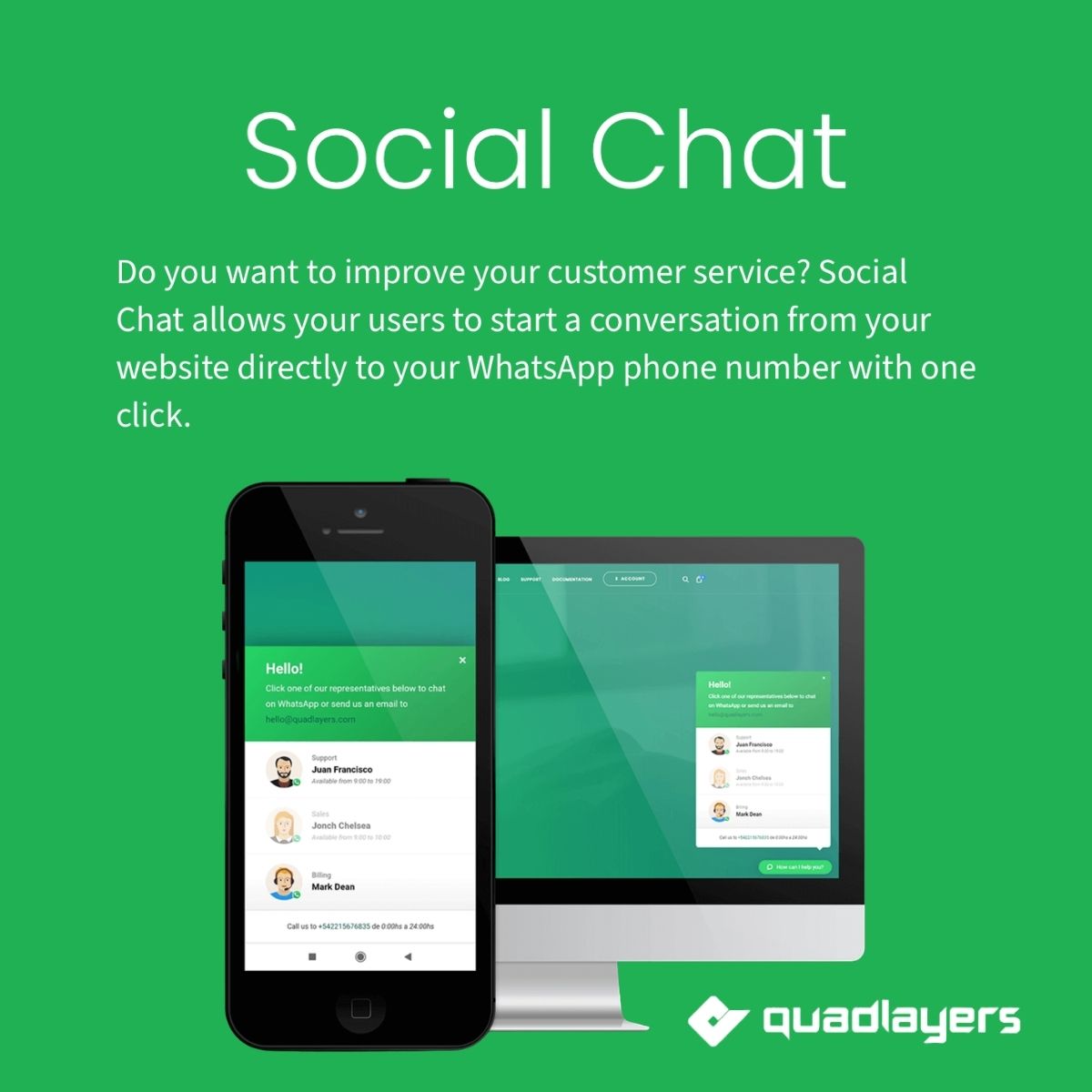
Social Chat by Quadlayers is a premium WordPress plugin that facilitates direct communication between website visitors and businesses through WhatsApp. This plugin is essential for businesses looking to enhance customer service and engagement. Key features include customizable chat buttons, multi-agent routing to distribute inquiries among team members, and business hours scheduling to manage availability. Additionally, page-level targeting allows for chat buttons to appear only on relevant pages, improving user experience. The target audience consists of businesses, customer service teams, and online retailers seeking to connect with customers directly. Social Chat is compatible with the latest versions of WordPress, ensuring reliable functionality. Available at MyCodeLive with GPL license, instant download, and lifetime updates.
Key Features
WhatsApp Button
Floating chat button for direct WhatsApp conversations
Multi-Agent Routing
Route customers to different team members
Business Hours
Schedule button visibility based on operating hours
Page Targeting
Show button on specific pages or post types
Who is this for?
Pros
- Direct WhatsApp communication removes barriers
- Multi-agent routing distributes inquiries effectively
- Business hours prevent off-hours messages
- Page targeting shows button where relevant
- Pre-filled messages speed up conversations
Cons
- •Requires WhatsApp business accounts for agents
- •Limited to WhatsApp as the communication channel
- •Button visibility settings need testing across pages
Product Description
Social Chat connects WordPress websites with WhatsApp for direct customer communication. The plugin adds customizable chat buttons that let visitors start WhatsApp conversations with your team, supporting multiple agents and business hour scheduling.
Chat Features
- WhatsApp Button: Floating chat button that opens WhatsApp conversations
- Multi-Agent: Route customers to different team members based on department
- Custom Messages: Pre-filled message templates for common inquiries
- Business Hours: Show/hide chat button based on business operating hours
Display Options
- Page Targeting: Show the chat button on specific pages or post types
- Delay Trigger: Show button after a time delay or scroll percentage
- Mobile Responsive: Touch-friendly button design for mobile visitors
- Custom Styling: Adjust button colors, position, and size to match your site
Available at MyCodeLive with instant download and GPL license.

Reviews
There are no reviews yet.