
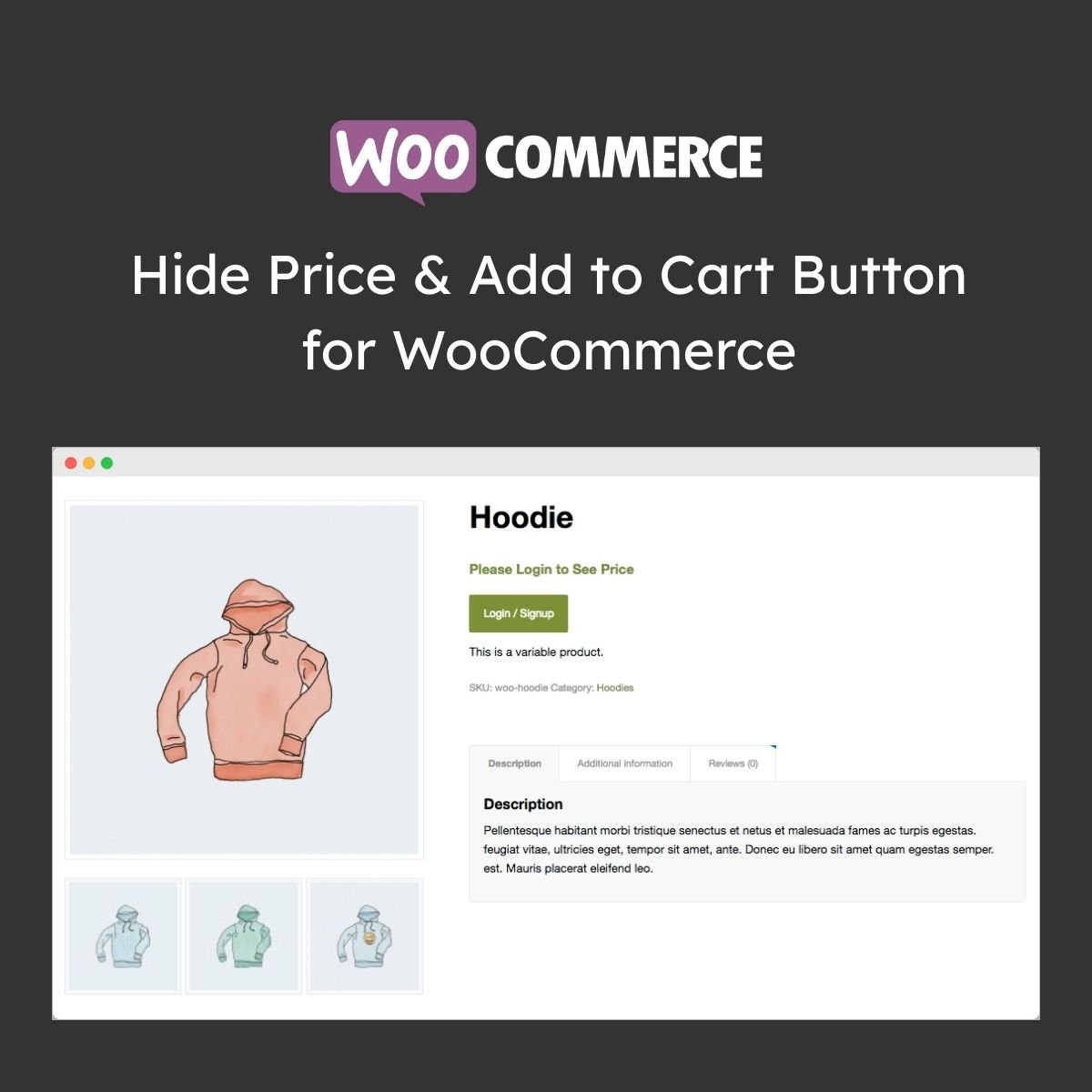


What is Hide Price & Add to Cart Button for WooCommerce?
Hide Price & Add to Cart Button for WooCommerce is a premium plugin that allows store owners to control the visibility of product prices and purchase buttons based on user roles, login status, or product conditions. It supports catalog mode, inquiry workflows, and member-only pricing visibility, providing a tailored shopping experience. Key functionalities include flexible hiding rules for specific user groups, custom replacement content such as inquiry buttons, and per-product or site-wide configuration options. This plugin is ideal for businesses that want to manage pricing visibility strategically. It is compatible with WooCommerce and integrates seamlessly with existing WordPress setups. Available at MyCodeLive with GPL license, instant download, and lifetime updates.
Key Features
Guest Hiding
Require login to see product pricing
Role-Based Rules
Show prices to specific user roles only
Product Control
Hide pricing on specific products or categories
Custom Content
Replace price with inquiry buttons or text
Catalog Mode
Display products without purchase option
Who is this for?
Pros
- Flexible hiding rules by user role, login status, or product
- Custom replacement content including inquiry buttons
- Per-product or site-wide configuration options
- Supports catalog mode and quote-request workflows
- Encourages registration for pricing access
Cons
- •Hidden pricing can deter casual shoppers
- •Configuration needed to ensure correct visibility rules
- •May impact SEO if price information is unavailable to crawlers
Product Videos
WordPress Tutorials | How to hide prices and cart button in WooCommerce (no plugin) | We Help Code
Product Description
Hide Price & Add to Cart Button for WooCommerce gives store owners control over price and purchasing visibility. Prices and buy buttons can be hidden from specific user groups, forcing them to contact the store or log in before seeing pricing information.
Hiding Options
- Guest Hiding — Hide prices from non-logged-in visitors, requiring registration to see pricing
- Role-Based — Show or hide prices based on user roles (customer, wholesale, etc.)
- Product-Level — Hide pricing on specific products or categories
- Replacement Content — Display custom text, inquiry buttons, or login links where price/cart would appear
Business Use Cases
Common applications include B2B stores that require login for pricing, request-a-quote workflows where pricing is negotiated, member-only pricing visibility, and catalog-mode display for products without direct purchase. The plugin works site-wide or per-product for flexible configuration.
Available at MyCodeLive with instant download and GPL license.

Reviews
There are no reviews yet.