
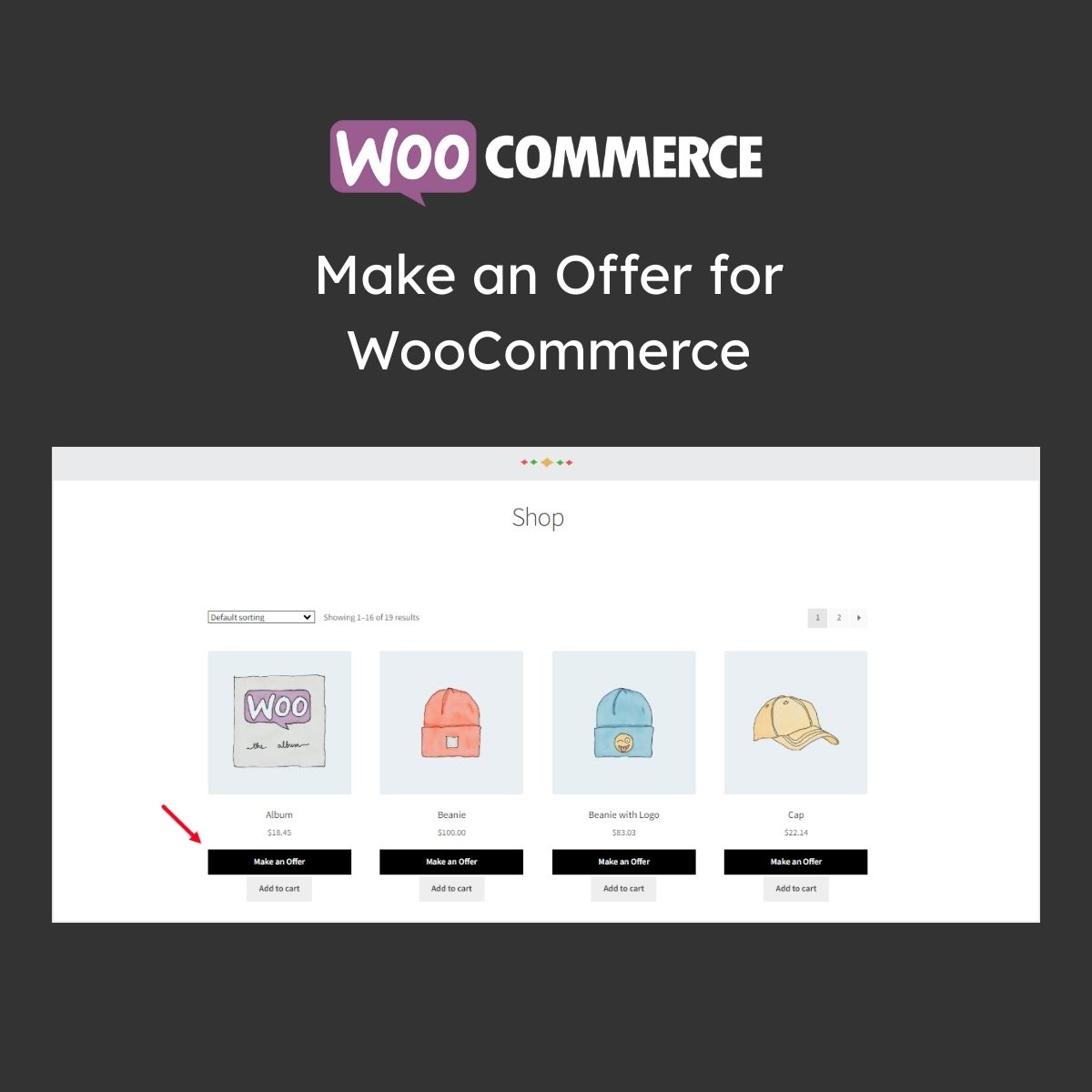


What is Make an Offer for WooCommerce?
Make an Offer for WooCommerce is a premium WordPress plugin that allows customers to submit price offers on products, creating a negotiation workflow to engage price-sensitive shoppers. This plugin is particularly beneficial for online stores that want to foster customer interaction and potentially increase sales through price negotiations. Key features include the ability for store owners to accept, counter, or reject offers, optional auto-accept thresholds to streamline the process, and a user-friendly interface for both buyers and sellers. This plugin targets WooCommerce store owners who wish to enhance their sales strategy by providing customers with the flexibility to propose their prices. It is compatible with the latest WooCommerce versions. Available at MyCodeLive with GPL license, instant download, and lifetime updates.
Key Features
Offer Button
Make an Offer alongside add-to-cart on products
Offer Review
Accept, reject, or counter customer offers
Auto-Accept
Set minimum prices for automatic acceptance
Checkout Links
Unique checkout URLs for accepted offers
Offer Analytics
Track acceptance rates and discount levels
Who is this for?
Pros
- Engages price-sensitive shoppers who might otherwise leave
- Auto-accept thresholds reduce manual offer review work
- Counter-offer capability enables price negotiation
- Accepted offers generate unique checkout links
- Offer analytics track acceptance rates and discount levels
Cons
- •Manual offer review adds administrative workload
- •Price negotiation may erode margins if not managed carefully
- •Some customers may submit unreasonably low offers
Product Videos
How to create WooCommerce Category Discounts | No plugin | Free | WooCommerce built-in feature
Product Description
Make an Offer for WooCommerce adds a price negotiation element to your store by letting customers propose what they are willing to pay. This creates engagement opportunities with price-sensitive shoppers who might otherwise leave without purchasing.
Offer Features
- Offer Button — “Make an Offer” button on product pages alongside the regular add-to-cart
- Offer Form — Customers submit their proposed price with optional notes
- Admin Review — Store owners review offers and can accept, reject, or counter-offer
- Auto-Accept — Set minimum acceptable prices for automatic offer acceptance
Negotiation Workflow
Email notifications keep both parties informed through the offer lifecycle. Accepted offers generate unique checkout links with the agreed pricing. Counter-offers enable back-and-forth negotiation. Offer expiration dates create urgency for accepted proposals. Offer analytics track acceptance rates and average discounts given.
Available at MyCodeLive with instant download and GPL license.



Reviews
There are no reviews yet.