


What is Yellow Pencil: Visual CSS Style Editor?
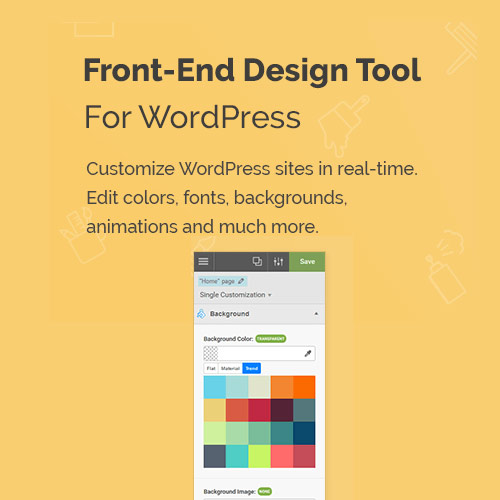
Yellow Pencil is a premium WordPress plugin that serves as a visual CSS style editor, enabling users to customize their website’s appearance through a point-and-click interface. This plugin allows users to modify colors, fonts, spacing, and animations directly on their site, making it accessible for those without coding skills. Key features include responsive editing for various devices, a CSS animation editor with visual controls, and a Google Fonts browser for typography customization. Yellow Pencil is ideal for web designers, developers, and site owners looking to enhance their site’s aesthetics easily. It is compatible with most WordPress themes and plugins, ensuring flexibility in design. Available at MyCodeLive with GPL license, instant download, and lifetime updates.
Key Features
Visual Inspector
Click any element to edit CSS properties visually
Responsive Design
Separate styles for desktop, tablet, and mobile
Animation Editor
CSS animations with visual timing controls
Background Manager
Gradients, images, overlays, and video backgrounds
Font Manager
Google Fonts browser with typography controls
Code Editor
Direct CSS editing with syntax highlighting
Who is this for?
Pros
- Feature: Point-and-click visual CSS editing
- Feature: Responsive editing for desktop, tablet, and mobile
- Feature: CSS animation editor with visual controls
- Feature: Google Fonts browser with typography management
- Feature: CSS code editor with syntax highlighting
Cons
- •Complex CSS changes may still require manual code editing
- •Many simultaneous style changes may affect page load performance
Product Description
Yellow Pencil provides a point-and-click CSS editing interface for WordPress. The plugin lets you select any element on your page and modify its visual properties through an intuitive inspector panel.
Key Capabilities
- Visual Inspector: Click any element to edit its CSS properties including colors, fonts, margins, padding, and borders
- Responsive Editing: Preview and customize styles for desktop, tablet, and mobile breakpoints separately
- Animation Editor: Add CSS animations with visual controls for timing, easing, and trigger events
- Background Manager: Edit backgrounds with gradients, images, overlays, and video support
- Font Manager: Browse and apply Google Fonts and custom fonts with typography controls
Developer Features
The CSS code editor provides direct CSS writing with syntax highlighting and auto-completion. Changes can be exported as CSS files for portability.




Reviews
There are no reviews yet.